Introduction
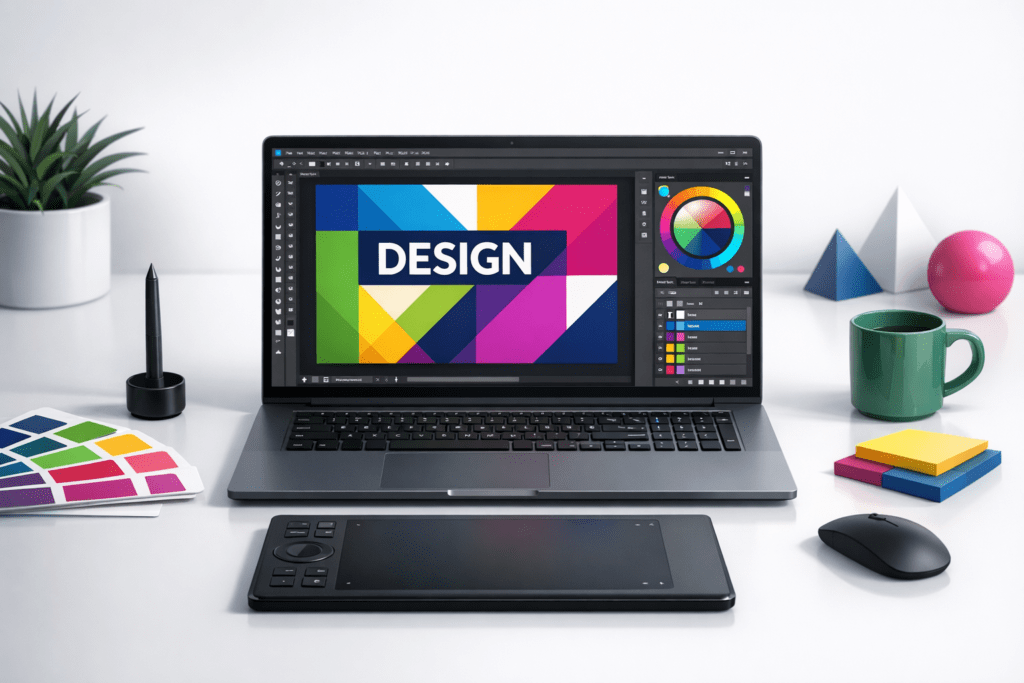
In the fast-paced world of design, having the right resources at your fingertips can make all the difference. A ‘Designer Toolkit’ is not just a collection of tools; it is an essential resource that enables creative professionals to streamline workflows, improve output quality, and save time. Whether you’re a graphic designer, UX/UI expert, or motion graphics specialist, a well-equipped toolkit is your secret weapon for success.
Why Every Designer Needs a Toolkit
A Designer Toolkit is a curated collection of resources, software, and strategies tailored to meet the needs of creative professionals. Its primary purpose is to enhance efficiency, ensure consistency, and foster creativity. By consolidating tools and processes into a structured framework, designers can focus more on their craft and less on logistical challenges.
Benefits of having a structured toolkit include:
- Efficiency: Save time by having all your essential tools readily accessible.
- Consistency: Maintain uniformity across projects with standardised resources.
- Creativity: Experiment with new ideas using an array of creative tools.
Core Components of a Designer Toolkit
An effective Designer Toolkit comprises several core elements. While the specifics may vary depending on your specialisation, some essentials include:
- Design Software: Industry staples like Adobe Creative Cloud (Photoshop, Illustrator, InDesign) or alternatives like Affinity Designer.
- Hardware: High-performance laptops, tablets (e.g., Wacom or iPad Pro), and colour-calibrated monitors.
- Organisational Tools: Project management software like Trello, Asana, or Notion to keep your workflow on track.
Depending on your niche, you may also need tools for:
- Graphic Design: Fonts, stock image libraries, and vector resources.
- UX/UI Design: Prototyping tools like Figma or Sketch.
- Motion Graphics: Animation software like After Effects or Blender.
Evaluating the Right Tools for Your Needs
Not every tool is suitable for every designer. To find the right fit, consider:
- Project Requirements: What does the project demand? A branding project may need different tools from a website design.
- Skill Level: Beginners may prefer intuitive tools, while experienced professionals might opt for more advanced options.
- Budget: Evaluate free versus paid tools. Open-source options like GIMP can be cost-effective alternatives to premium software.
Popular tools include:
- Canva: Ideal for quick, template-based design work.
- Figma: Perfect for collaborative UX/UI design projects.
- Procreate: A favourite among illustrators for its natural drawing experience.
Maximising Productivity with Your Toolkit
To get the most out of your toolkit, focus on organisation and integration:
- Organise: Keep resources like fonts, templates, and stock images categorised for easy access.
- Integrate: Use cloud storage solutions like Google Drive or Dropbox to sync files across devices.
- Collaborate: Leverage tools such as Slack or Microsoft Teams to streamline team communication.
How to Stay Updated with New Tools and Trends
The design industry evolves rapidly. Stay ahead by:
- Joining Online Communities: Platforms like Behance, Dribbble, and Reddit offer valuable insights and updates.
- Attending Webinars: Learn about the latest tools and techniques from industry experts.
- Reading Blogs: Follow reputable design blogs and newsletters for fresh ideas and reviews.
Customising Your Toolkit for Different Projects
Every project has unique requirements, and your toolkit should reflect that. Tailor your tools to suit specific project needs:
- Branding Projects: Include typography resources, colour palette generators, and logo design software.
- Web Design: Focus on wireframing tools, CMS platforms, and responsive design software.
- Video Production: Incorporate video editing tools like Premiere Pro or Final Cut Pro.
The Commercial Advantage of a Well-Equipped Toolkit
A robust Designer Toolkit does more than improve your workflow – it also enhances your professional standing. Clients value efficiency, creativity, and professionalism, all of which are supported by a well-equipped toolkit.
Key advantages include:
- Client Satisfaction: Deliver high-quality work consistently and on time.
- Project Success: Tackle complex projects with confidence using specialised tools.
- Professionalism: Position yourself as an expert in your field by showcasing your extensive resources.
FAQs
- What is a Designer Toolkit? A curated collection of tools, software, and resources to streamline design workflows.
- What are the must-have tools for every designer? Essentials include design software (e.g., Adobe Creative Cloud), hardware (e.g., tablets), and organisational tools.
- How do I decide which design software to invest in? Consider your project needs, skill level, and budget when evaluating options.
- How can I keep my Designer Toolkit up to date? Stay active in online communities, attend webinars, and regularly review industry blogs.
Practical Checklist
Use this checklist to build your Designer Toolkit:
- Design software (e.g., Photoshop, Figma)
- High-performance hardware (e.g., laptop, tablet)
- Organisational tools (e.g., Trello, Notion)
- Specialist resources (e.g., stock images, fonts)
- Collaboration tools (e.g., Slack, Google Drive)
At Datum, we keep a curated library of the best free and premium resources our team uses every day. Here’s a snapshot from our internal toolkit – organised by category so you can jump straight to what you need.
Animation & Motion
Colour Tools
Icons & Vectors
Illustrations
Inspiration
Learning & Training
Mockups
Print & Production
Royalty-Free Images
SEO & Digital Marketing
Social Media Tools
Conclusion
The Ultimate Designer Toolkit for Creative Professionals is more than a convenience – it is a necessity. By investing in the right tools and staying updated with industry trends, you can streamline your workflow, boost your creativity, and position yourself as a leader in your field. Explore your options, customise your toolkit, and unlock your full potential as a creative professional.
Need help with tailored design solutions? Contact Datum Creative Media today to elevate your projects.